

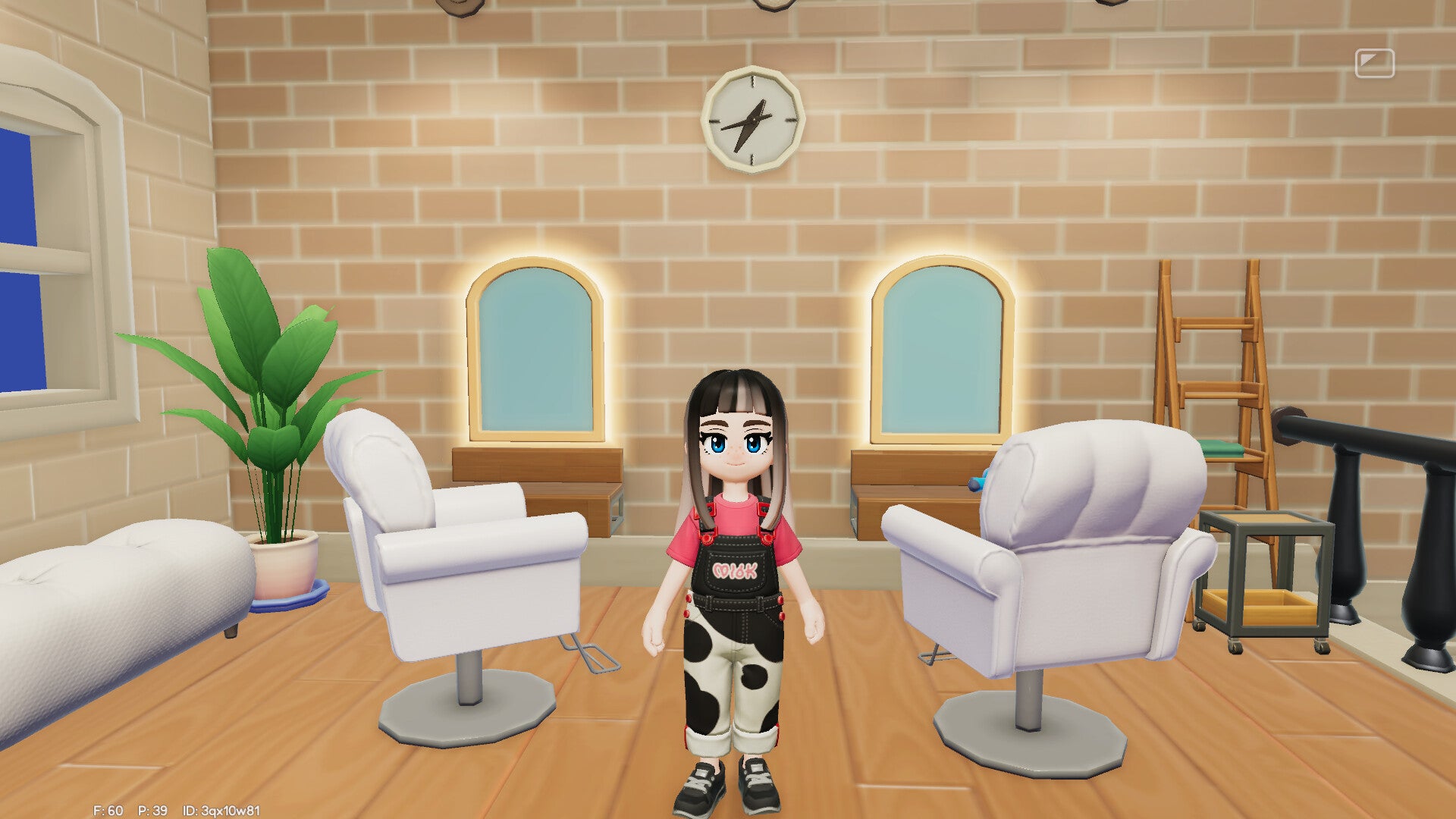
Cosy-life games have always loved a makeover moment, and Heartopia is no exception. Whether you’re switching to a new fringe, testing a brighter shade, or simply trying to make your in-game character look more like you, knowing exactly where the hair options live (and what you can change) makes customisation feel effortless rather than fiddly.
This guide walks you through how to change your hairstyle and hair colour in Heartopia, what to look out for in the menus, and how to choose styles that translate well on-screen. While this is virtual hair, the same rule stylists live by still applies: the best transformations start with a clear idea of the look you want.
Where to change your hair in Heartopia
In most character-led life sims, hair changes are handled in one of two places: either in the initial character creator, or later via an in-game location/menu (often styled as a salon, wardrobe, or personal customisation screen). Heartopia allows you to revisit your look after you’ve started playing, so you’re not locked into your original choice.
Look for the game’s customisation area in your main menus. If the game world includes a dedicated spot for appearance changes, it will usually be signposted with an icon or text relating to style, wardrobe, or grooming. When you’re in the right place, you’ll see categories for appearance elements—hair typically sits near face, makeup, accessories, or outfits.
- Open the customisation menu (from the main menu or in-game customisation screen).
- Select “Hair” (sometimes split into style, fringe/bangs, and colour).
- Choose a hairstyle and rotate the character view to check the silhouette from all angles.
- Adjust colour using the palette or sliders if available.
- Confirm/save to apply the change.
Practical next step: before you commit, pause on your chosen hair and spin the camera 360 degrees—some styles look neat from the front but can sit differently at the nape or around the ears in-game.
How to customise hairstyles (and make them look intentional)
Hairstyles in games are designed to read clearly on a small screen and work with a variety of outfits and facial features. That means the “best” style isn’t always the one that seems most dramatic in the thumbnail—it’s the one with a shape that complements your character’s proportions.
To get a polished result, think about these elements the same way a UK salon stylist would talk you through a cut:
- Silhouette: bobs, shags, long layers and updos create distinct outlines. Choose a silhouette that balances headwear, collars and accessories.
- Fringe effect: if Heartopia offers bangs/fringe options, they can change your character’s expression dramatically—softening the face or making features look sharper.
- Texture cues: even in simplified graphics, waves, curls and sleek styles can affect how light hits the hair and how “thick” it appears.
- Practicality with outfits: straps, high necklines and backpacks can visually clash with longer hair; a half-up style often keeps the look tidy.
If you’re aiming for a realistic “UK everyday” vibe—clean, wearable, effortless—choose styles with a defined parting and manageable volume. If you want fantasy or editorial energy, go for bolder shapes and high-contrast colours that pop against your outfit.
How to change hair colour (and avoid awkward tone clashes)
Hair colour is where most players end up experimenting—because you can be brave without risking a real-life colour correction appointment. Depending on the tools Heartopia provides, colour may be a simple preset palette or a more flexible system with sliders.
When choosing a shade, it helps to treat the character’s hair like you would in a consultation: you’re matching tone to the overall look. On-screen, lighting and the game’s colour grading can skew shades warmer or cooler, so test your colour in a few different environments if possible.
- Cool tones (ashy blondes, blue-black, cool browns) tend to look crisp and modern, especially alongside monochrome outfits.
- Warm tones (copper, honey, chestnut) read softer and can make the character look more “glowy” in warmer lighting.
- High-saturation colours (pink, teal, violet) look best when your outfit palette is simpler—otherwise the look can feel visually busy.
- Near-natural shades are the easiest for everyday roleplay and make accessory choices (hats, clips, earrings) stand out.
Many stylists recommend thinking in terms of contrast: if your character wears bold colours, keep hair more neutral; if outfits are minimal, use hair colour as the statement.
Troubleshooting: when the hair option doesn’t look right
If you’ve changed your hair and it still feels “off”, it’s rarely the hair alone—it’s the relationship between hair, face shape, and styling details within the game’s art style. Here are quick fixes that often help:
- Check accessories: earrings, glasses and headwear can clip or visually crowd some styles.
- Revisit the parting: if parting options exist, a centre vs side part can transform the vibe without changing length.
- Try one change at a time: swap style first, then colour—so you know what improved (or worsened) the look.
- Consider lighting: step into brighter or neutral light in-game to judge tone properly.
- Balance with outfit: high collars and strong shoulder shapes can compete with long hair; try a shorter cut or tied-up look.
Real-world practicality still applies here: take a screenshot of two or three favourite options and compare them side by side—your eye will spot the most flattering silhouette quickly.
Key Takeaways
- Hair changes in Heartopia are made via the game’s customisation options, where you can revisit hairstyle and colour beyond the first character creation.
- Rotate the character view before saving—some styles look different from the side and back, especially around the nape and ears.
- Choose a silhouette first (bob, long layers, updo), then fine-tune colour; it’s the quickest way to avoid “something feels off” results.
- Match colour tone to your overall look: cool shades read crisp, warm shades read soft, and bold colours work best with simpler outfits.
- Screenshot your favourites and compare—an easy, real-world trick that helps you decide without constantly toggling between menus.
Frequently Asked Questions
Can you change your hairstyle after starting Heartopia?
Yes. Heartopia allows you to adjust your character’s appearance after the initial setup via its customisation options.
Can you change hair colour separately from the hairstyle?
In the hair customisation area, colour is typically its own setting (or a sub-menu under hair). Change the style first, then test colours to see how the tone reads on that shape.
Why does the hair colour look different in certain areas?
In-game lighting and colour grading can shift tones warmer or cooler. If you can, check your hair in a couple of locations before deciding on a final shade.
What’s the easiest way to make a character look “more like me”?
Start with a similar parting and fringe (if available), then match the overall depth of colour (dark, mid, light) before fine-tuning the exact tone.
Do hairstyles affect gameplay in Heartopia?
Hair customisation is generally cosmetic. If any mechanic is tied to appearance changes, the game will usually state it clearly in the relevant menu.
Explore More: Discover related reads from Hairporium — News • Guides • DIYs • Expert Articles.
Try Next: Discover more DIY recipes and styling tricks at Hairporium DIYs.


More in Hair diy
View all hair diy